Game Menu Interface Design
Concept interface exploring cinematic controller navigation
Role
UI /UX Designer
timeline
2022
Focus
Game UI, Controller Navigation, Visual Design
Design Goals
Create a cinematic interface
The visual design should reflect the scale and atmosphere of the Marvel universe.
Maintain clear controller navigation
Menus should remain simple and easy to navigate using standard console controls.
Build excitement before gameplay begins
The interface should introduce players to the world of the game and create anticipation before entering the story.
Competitive Research
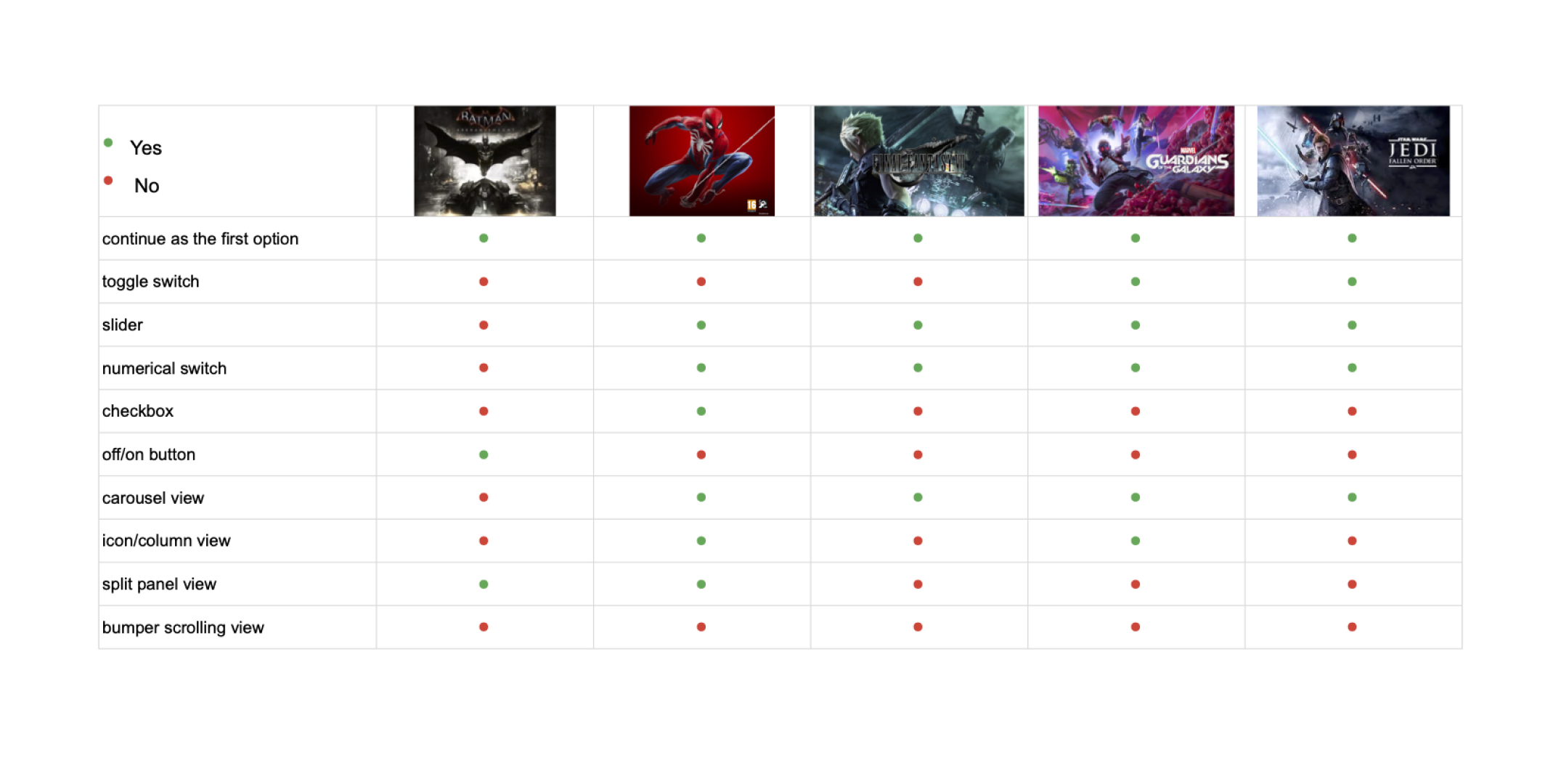
To better understand how modern games structure their menu systems, I conducted a comparison of several AAA titles across the superhero, RPG, and sci-fi genres.A major resource for this research was Interface in Game, a library of game interface screenshots and clips used by designers to study interaction patterns.
During this review I focused on how games implemented key UI components such as:
• Toggle switches
• Sliders
• Carousel views
• Controller bumper navigation
• Menu hierarchy structures
Understanding these patterns helped identify common conventions that players expect when navigating game interfaces.
Key Insights
Continue First
Saved games surface “Continue” as the primary action.
Familiar Settings
Sliders and numeric inputs are standard for adjustments.
Controller Navigation
Directional input is more common than bumper navigation.
User Flow
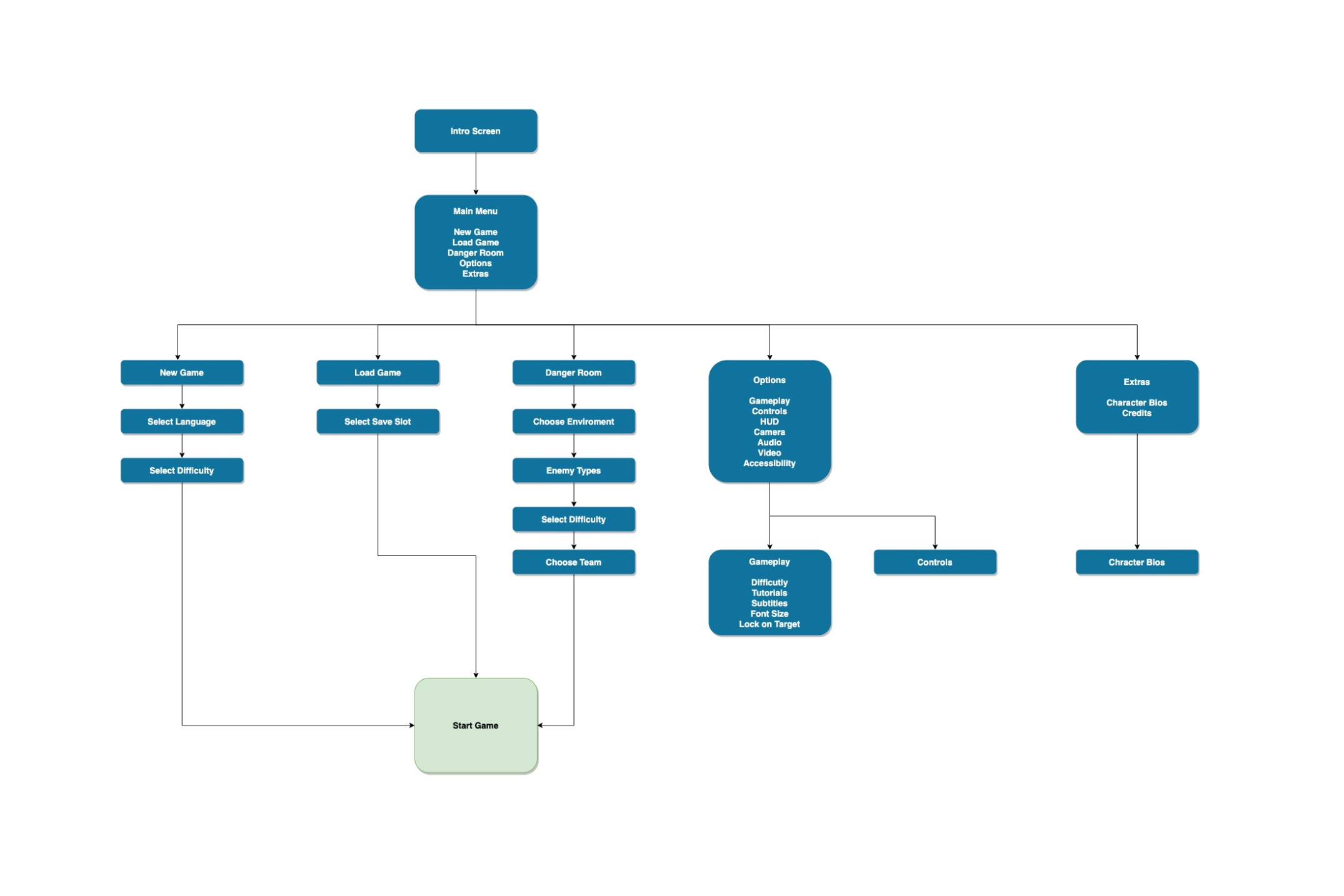
To define how players would interact with the menu, I mapped the primary paths available before entering gameplay.newer platform users to understand:
Wire-framing & Ideation
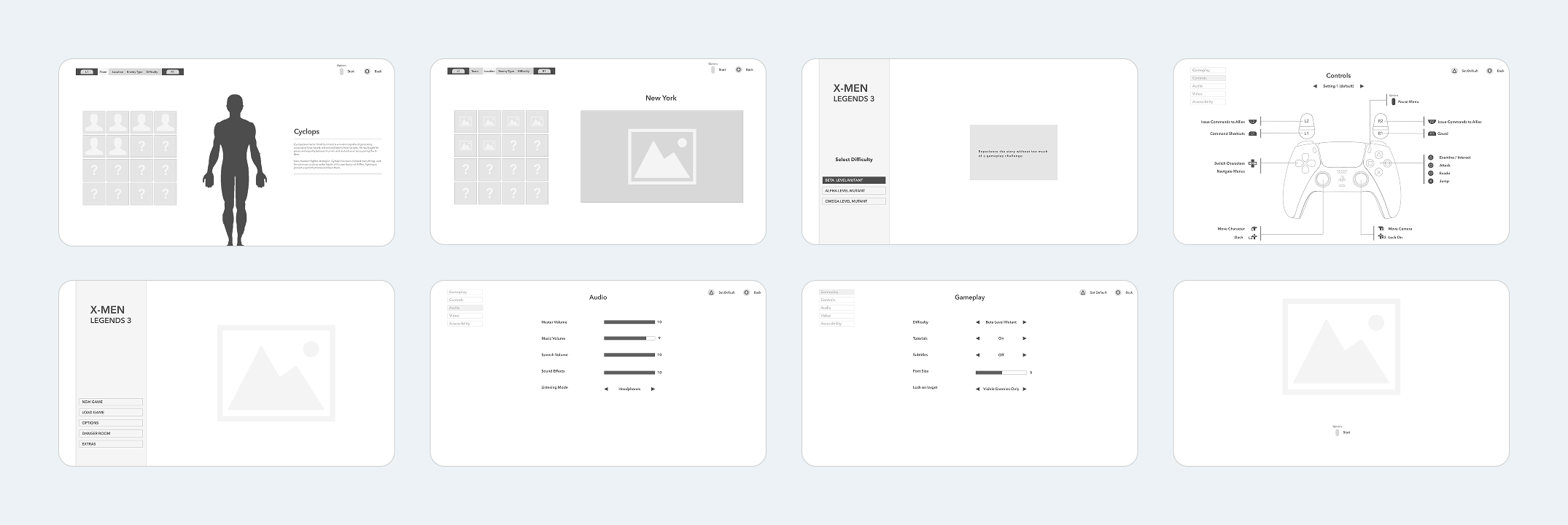
Early wireframes helped explore different layout structures and navigation patterns for the menu system. During this stage I focused on:
• Simplifying menu hierarchy
• Testing different screen compositions
• Establishing clear navigation patterns for controller input.
Iterating through mid-fidelity wireframes helped refine the key screens before moving into visual design.
UI Design
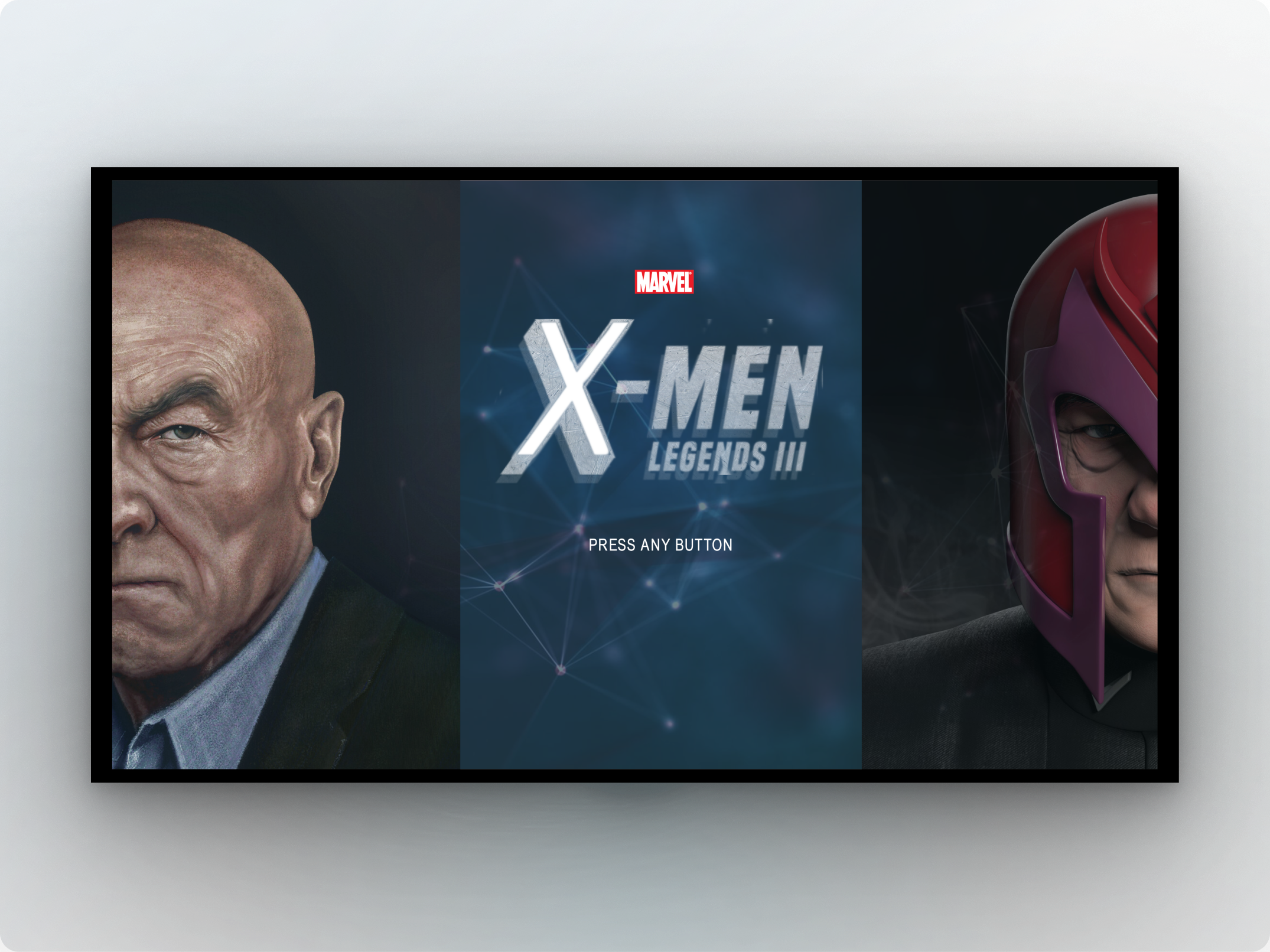
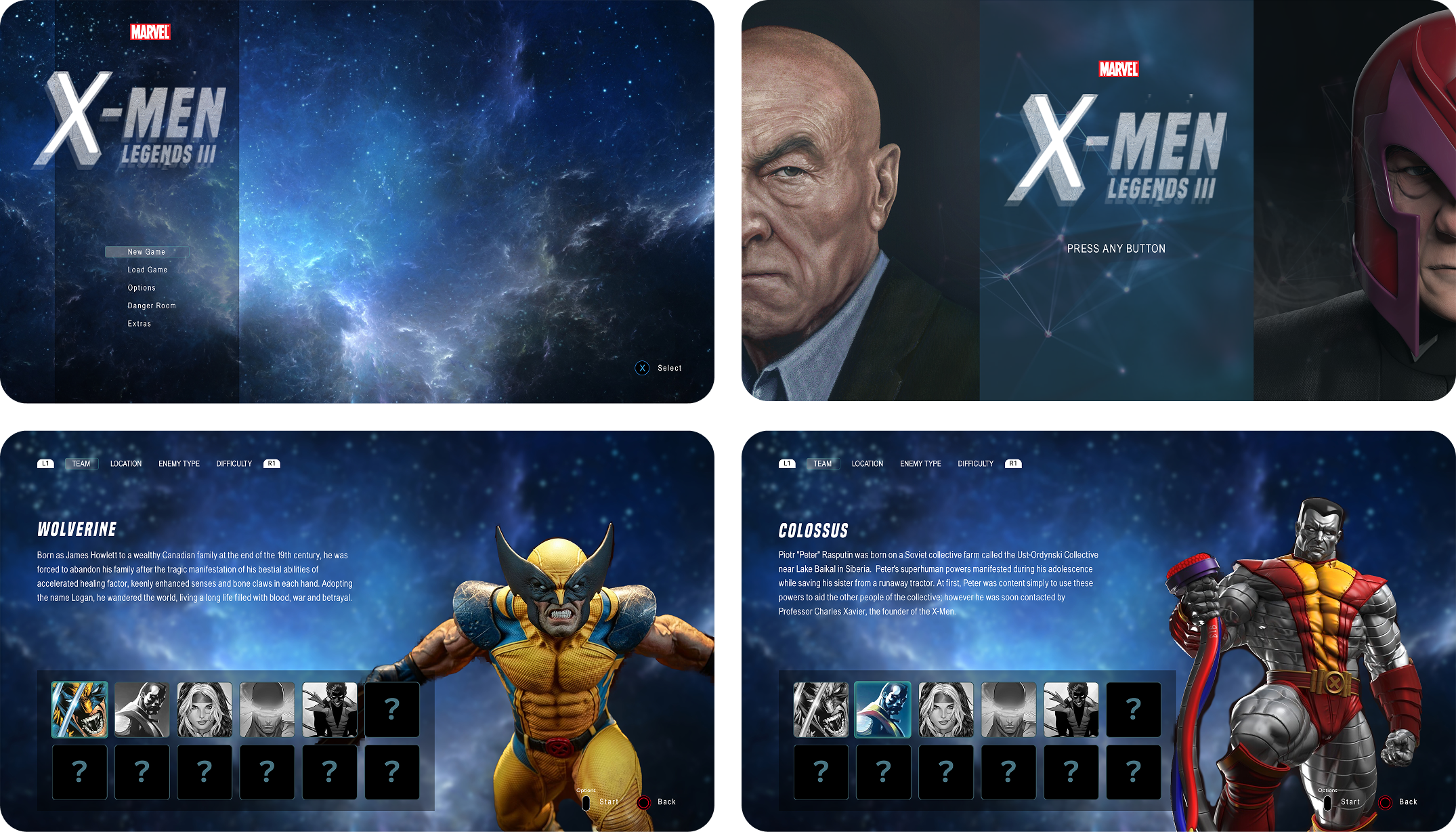
The introduction to the game was designed similarly to an onboarding experience in a digital product. The interface needed to remain simple and intuitive while also generating excitement for players entering the game world.
To achieve this balance, the design incorporates:
• Character imagery from the Marvel universe
• Cinematic backgrounds
• Familiar game UI patterns
• Clear menu hierarchy
These elements help reinforce the tone of the game while maintaining usability.
Key Menu Features
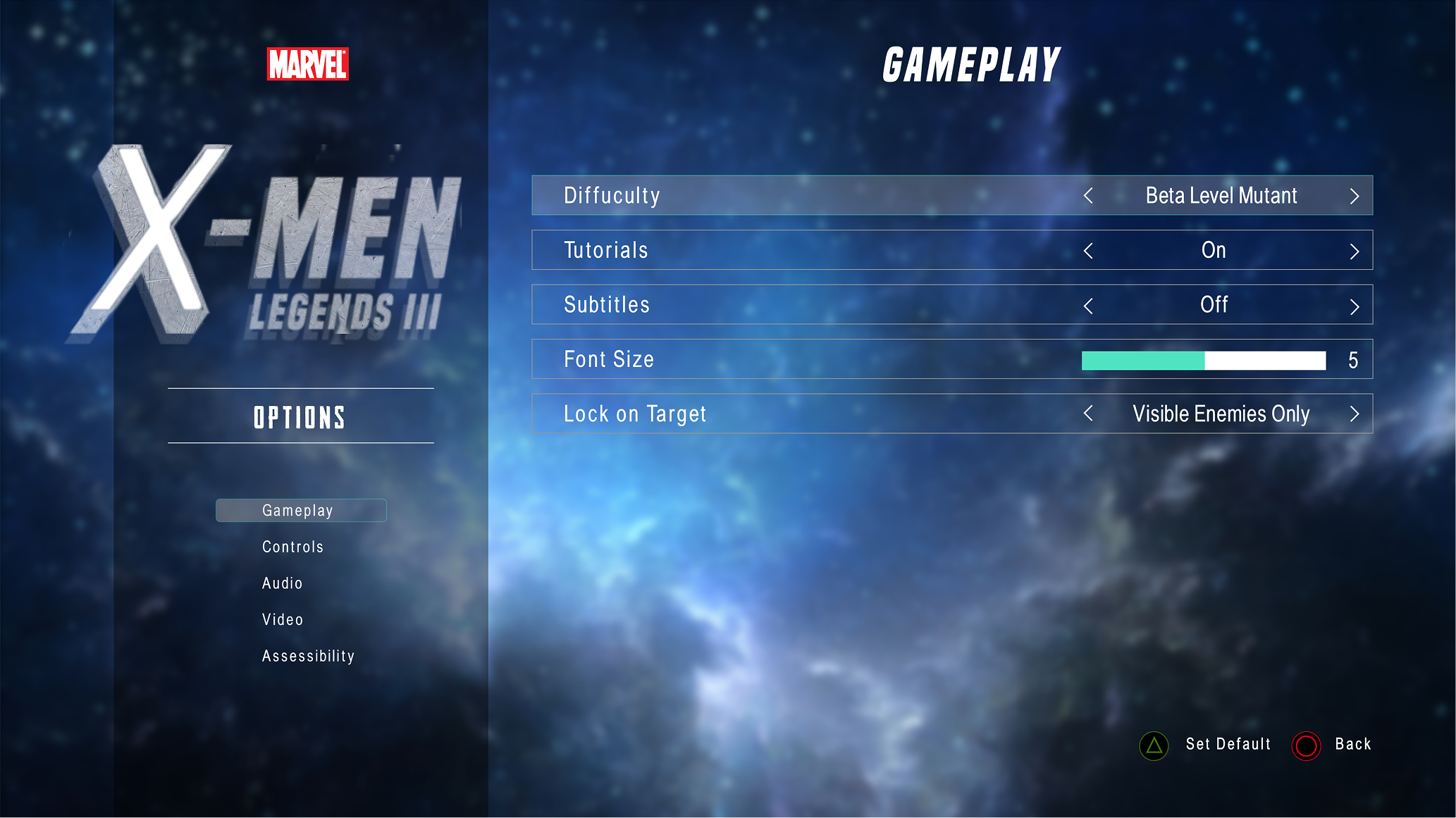
Gameplay
The Options menu allows players to customize their gameplay experience.
• Adjust difficulty
• Toggle tutorials
• Enable or disable subtitles
• Adjust font size for accessibility
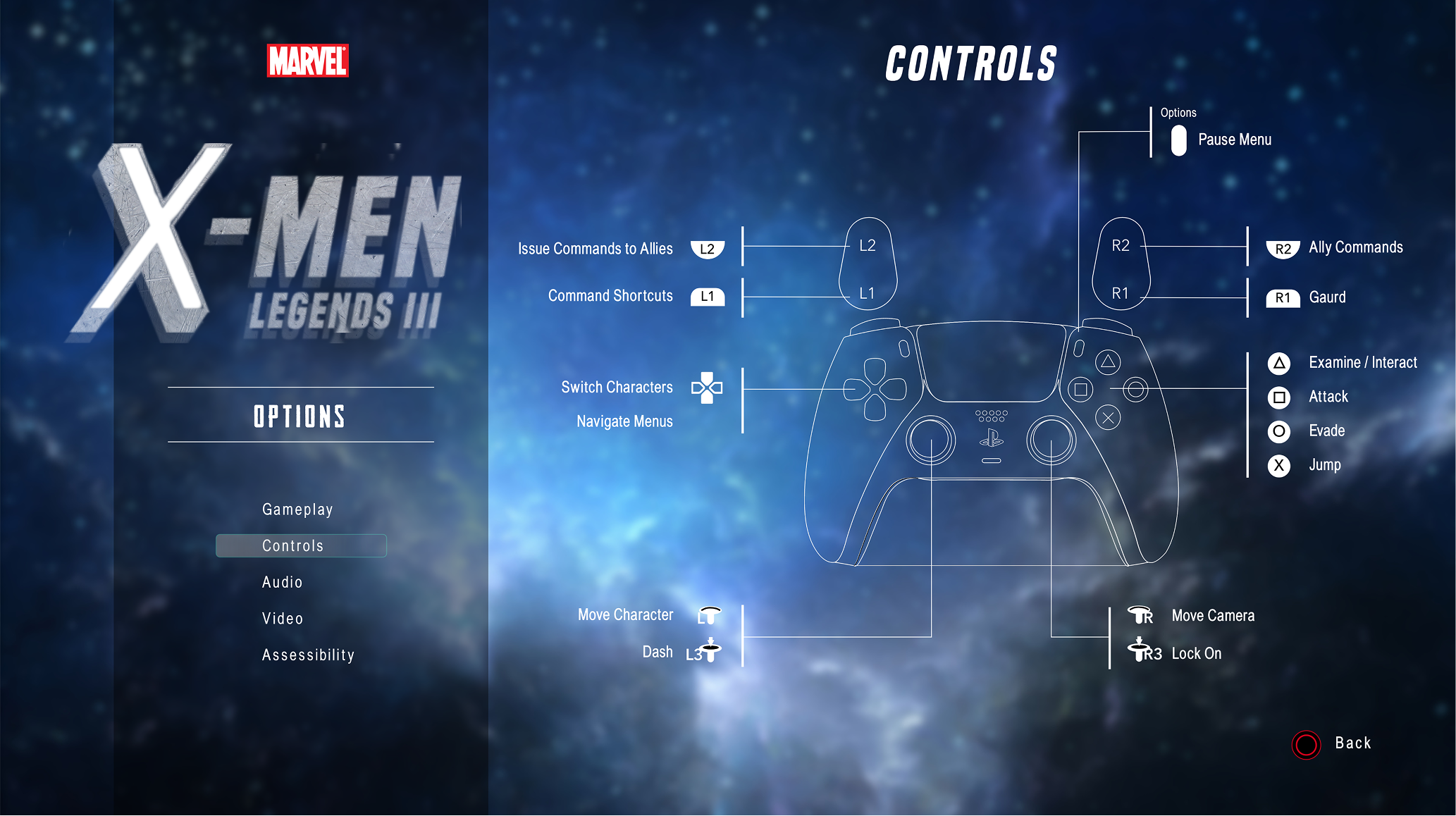
Controls
Players can adjust sound levels for:
• Music
• Dialogue
• Sound effects
They can also select their preferred listening mode.
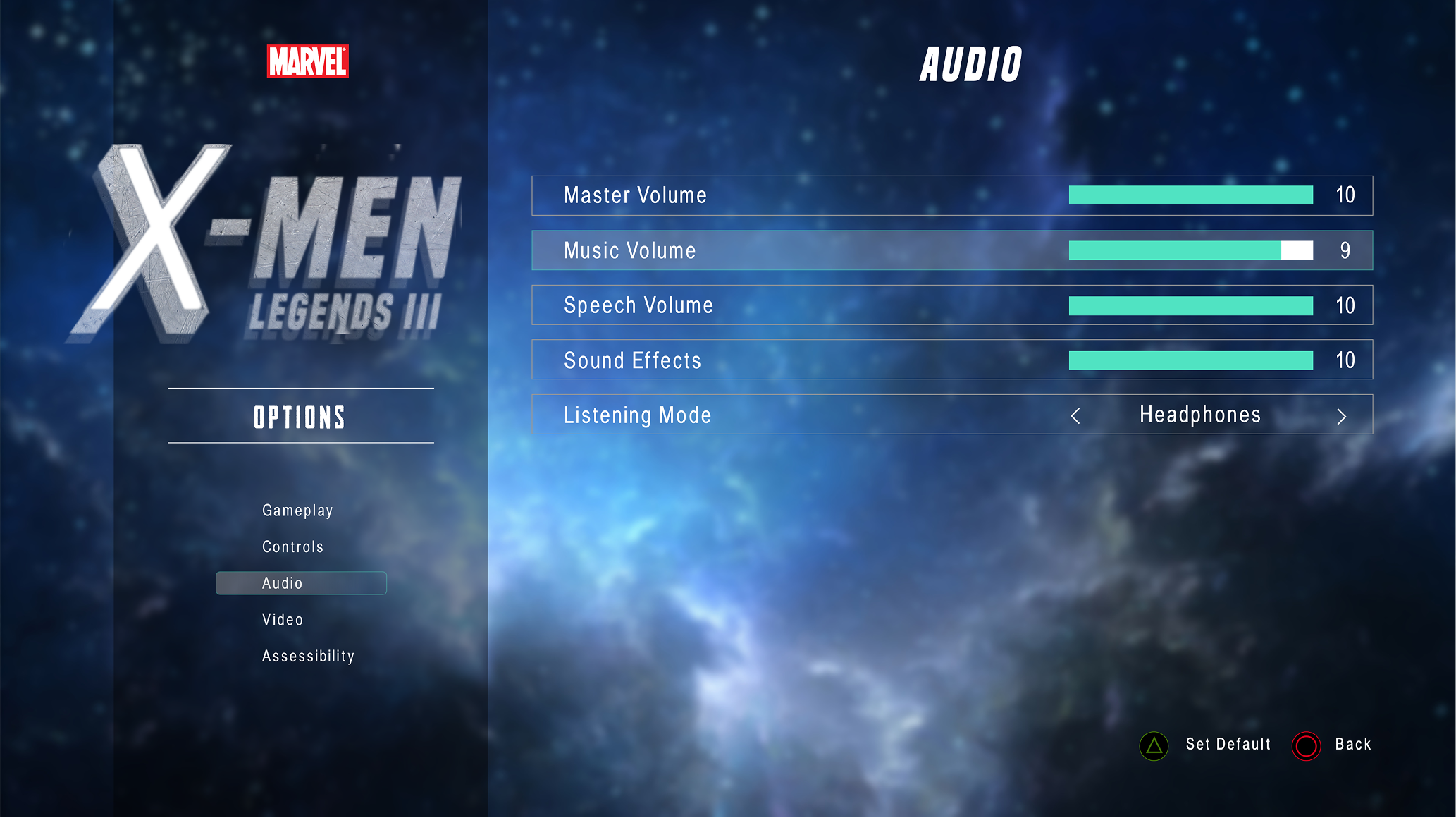
Audio
Players can adjust sound levels for:
• Music
• Dialogue
• Sound effects
They can also select their preferred listening mode.
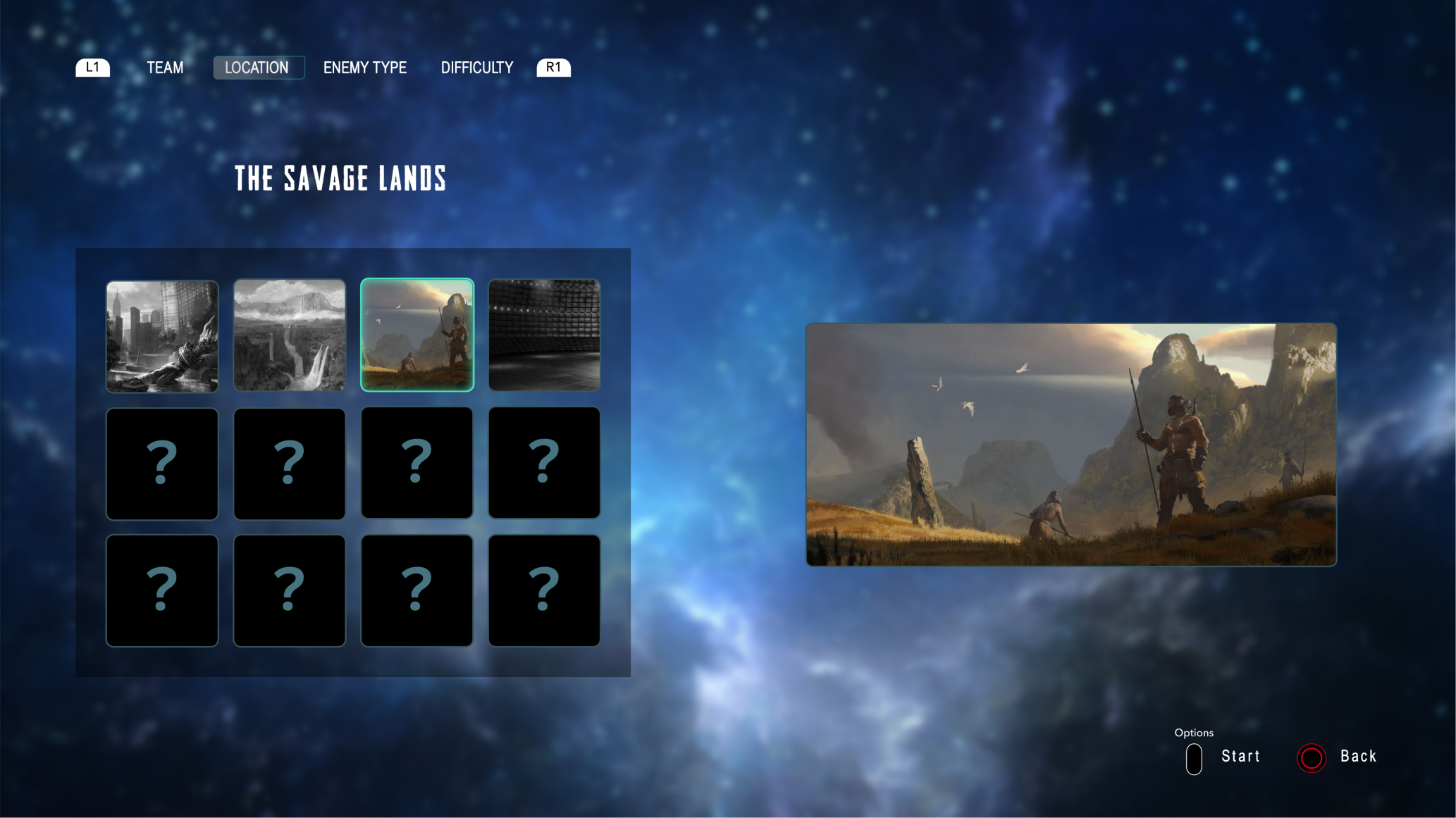
Practice Mode (Danger Room)
The Danger Room serves as a practice mode where players can experiment with abilities outside the main story mode.Before entering a session, players configure two elements.
• Team Selection
Players choose which characters they want to play as. Additional characters unlock as the story progresses.
• Location Selection
Players choose the battle environment. More locations unlock as players advance through the game.
Demo
What Did I Learn
This project was originally created as a personal exploration into game interface design. The work later helped me secure a final-round interview with Sucker Punch Productions, where I spent several hours discussing the design and my approach to controller-based UI with the studio’s design team.
Personal design projects provide an opportunity to explore new industries and interaction models outside of day-to-day professional work. This project allowed me to research the unique constraints of game interface design and experiment with solutions that balance usability with immersion.It also highlighted the differences between designing for controller-based interaction and designing for touch or mouse input. Understanding these interaction patterns, along with the emotions players experience when engaging with games, can create opportunities for more thoughtful UX design in the gaming space.
Thanks for taking the time to explore this project! If you're interested in collaborating or want to learn more about my work, feel free to reach out.
Get in Touch